Sep 17, 2026
In a technology-driven business environment, efficient IT support is essential for maintaining productivity and delivering a positive customer experience. As organizations grow, managing support requests through emails, spreadsheets, phone calls, and manual processes can become difficult. This is where IT service desk management software helps businesses organize and streamline their entire service desk operation.
Modern Service desk Software enables businesses to manage support tickets, customer requests, service assignments, technician activities, communication, and performance reports from one centralized platform. When combined with Service CRM capabilities, it can also help organizations manage customer relationships and field service operations more efficiently.
This complete guide explains the key features, benefits, and importance of IT service desk management software for modern businesses.
IT service desk management software is a digital platform designed to manage IT support requests and service operations from a centralized system. It allows support teams to record customer issues, create tickets, assign tasks, monitor progress, communicate with customers, and close service requests systematically.
Instead of managing support activities across different applications, teams can use Service desk Software to maintain service information in one place.
Typical service desk activities include:
These capabilities help businesses create a more organized and transparent support process.
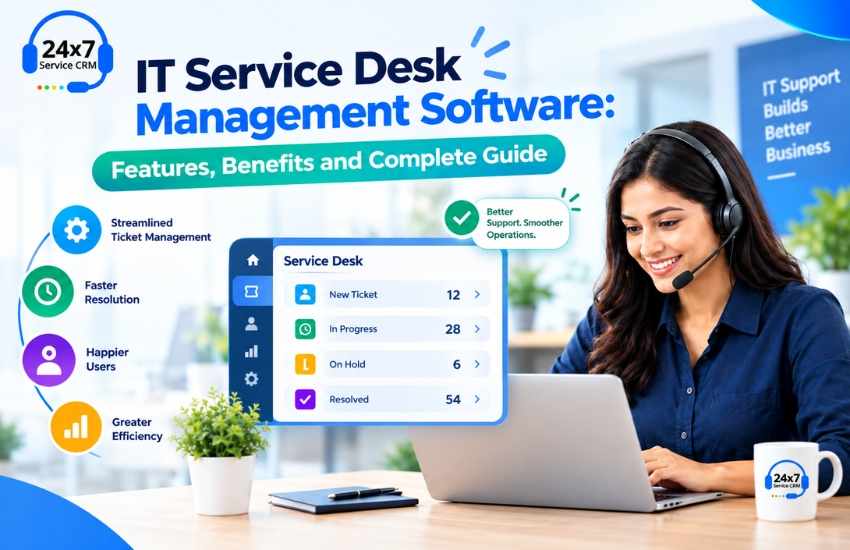
Ticket management is one of the core features of IT service desk management software. Support requests can be converted into tickets and tracked from creation to resolution.
Each ticket can contain customer information, issue details, priority, assigned employee, status, notes, attachments, and service history. This gives support teams a complete view of every request.
Manually assigning every support request can take time and may create unnecessary delays. Modern Service desk Software can help automate ticket assignment according to predefined rules.
Tickets can be routed based on technician skills, workload, location, service category, or priority. This helps organizations distribute work more efficiently.
For businesses providing on-site IT support, scheduling is an important part of service management.
IT service desk management software can help teams schedule technician visits, manage appointments, view pending jobs, and coordinate service activities.
A centralized schedule makes it easier for managers to understand technician availability and avoid overlapping assignments.
Service Level Agreements define expected response and resolution times. Missing SLA targets can negatively affect customer relationships.
Service desk Software can monitor SLA deadlines and identify tickets that require immediate attention. Automated alerts can also help teams take action before a ticket becomes overdue.
A strong service desk solution should provide more than ticket management. It should also help businesses maintain accurate customer information.
With Service CRM, businesses can store customer contact details, locations, service contracts, equipment information, previous complaints, and service interactions in a centralized database.
This enables support representatives and technicians to understand the customer's history before starting a service request.
Service history provides valuable information about previous support activities.
Technicians can review earlier complaints, repairs, installations, maintenance activities, and solutions. This can help them understand recurring problems and avoid repeating unnecessary troubleshooting steps.
Customers expect timely updates regarding their service requests. Sending every update manually can increase the workload of support teams.
IT service desk management software can automate notifications for important events such as ticket creation, assignment, scheduling, status changes, completion, and closure.
This improves communication and keeps customers informed throughout the service process.
Service managers need accurate data to evaluate support performance. Service desk Software can generate reports related to ticket volume, response time, resolution time, technician performance, SLA compliance, and customer service activity.
These reports help management identify operational trends and areas where service processes can be improved.
A centralized platform reduces the need for manual tracking. Support employees can access tickets, customer details, assignments, and service information from one system.
This can reduce administrative work and allow teams to focus more on resolving customer issues.
Automated ticket routing, priority management, notifications, and technician assignment can help support teams respond to requests faster.
A structured workflow also makes it easier to identify pending and overdue tickets.
Customers want quick responses, accurate information, and regular updates. By organizing the entire service workflow, IT service desk management software helps businesses provide a more consistent support experience.
When customers receive timely communication and effective issue resolution, service interactions become easier to manage.
For organizations with field technicians, Service CRM features can help managers allocate jobs based on technician availability, skills, and workload.
Technicians can access job information, customer details, service history, and task instructions, helping them complete service activities more systematically.
Without a centralized system, customer and service information may be distributed across spreadsheets, emails, documents, and different applications.
Service desk Software brings important service information together, improving visibility and reducing information gaps between teams.
Reports and dashboards provide management with insights into service performance.
Businesses can analyze ticket trends, technician productivity, SLA performance, recurring issues, and customer service activity. These insights can support better resource planning and process improvement.
Although IT service desk management software and Service CRM can work together, they generally focus on different aspects of service operations.
IT service desk software primarily focuses on managing IT support requests, incidents, tickets, SLAs, and internal service workflows.
Service CRM focuses more broadly on customer relationships and service operations. It can include customer management, service history, technician management, scheduling, contracts, quotations, invoices, and field service activities.
For an IT service company that provides both remote support and on-site services, combining service desk capabilities with Service CRM can provide a more complete service management solution.
Before selecting Service desk Software, businesses should evaluate their specific operational requirements.
Consider important factors such as:
The right solution should fit the organization's existing workflow while also providing room for future growth.
IT service companies often manage more than technical support tickets. They may handle hardware installation, networking, AMC contracts, preventive maintenance, equipment repairs, technician visits, and customer follow-ups.
This is where Service CRM can extend the capabilities of traditional service desk systems.
By connecting customer information, tickets, service history, schedules, technicians, and business activities in one platform, Service CRM can help IT service companies manage their complete customer service lifecycle.
IT service desk management software provides businesses with a structured way to manage IT support and service requests. From ticket management and automated assignments to SLA tracking, scheduling, reporting, and customer communication, Service Desk Software can improve visibility and efficiency across the support operation.
For organizations that provide field-based IT services, integrating Service CRM capabilities can further simplify customer management, technician coordination, service scheduling, and service history.
As businesses continue to depend on technology, an organized and scalable service management process becomes increasingly important. Choosing the right IT service desk management software can help businesses reduce manual processes, improve support coordination, deliver better customer communication, and build a more efficient service operation.






Instant free download from Play Store and Apple. Service CRM is one the best Software or Application for field service management. You can book a demo Online.